Delete your CineSprout account
Last updated: 20 October 2026
CineSprout does not use email addresses or passwords. Each installation is given an anonymous identity, and you can delete that identity — and everything stored with it — at any time from inside the app.
Deleting your CineSprout account does not delete your TMDB account. Your watchlist, favourites and ratings are stored by TMDB, not by CineSprout. Manage those separately at themoviedb.org.
Delete from the app
-
Open the Profile tab
At the bottom of the app, tap Profile.
-
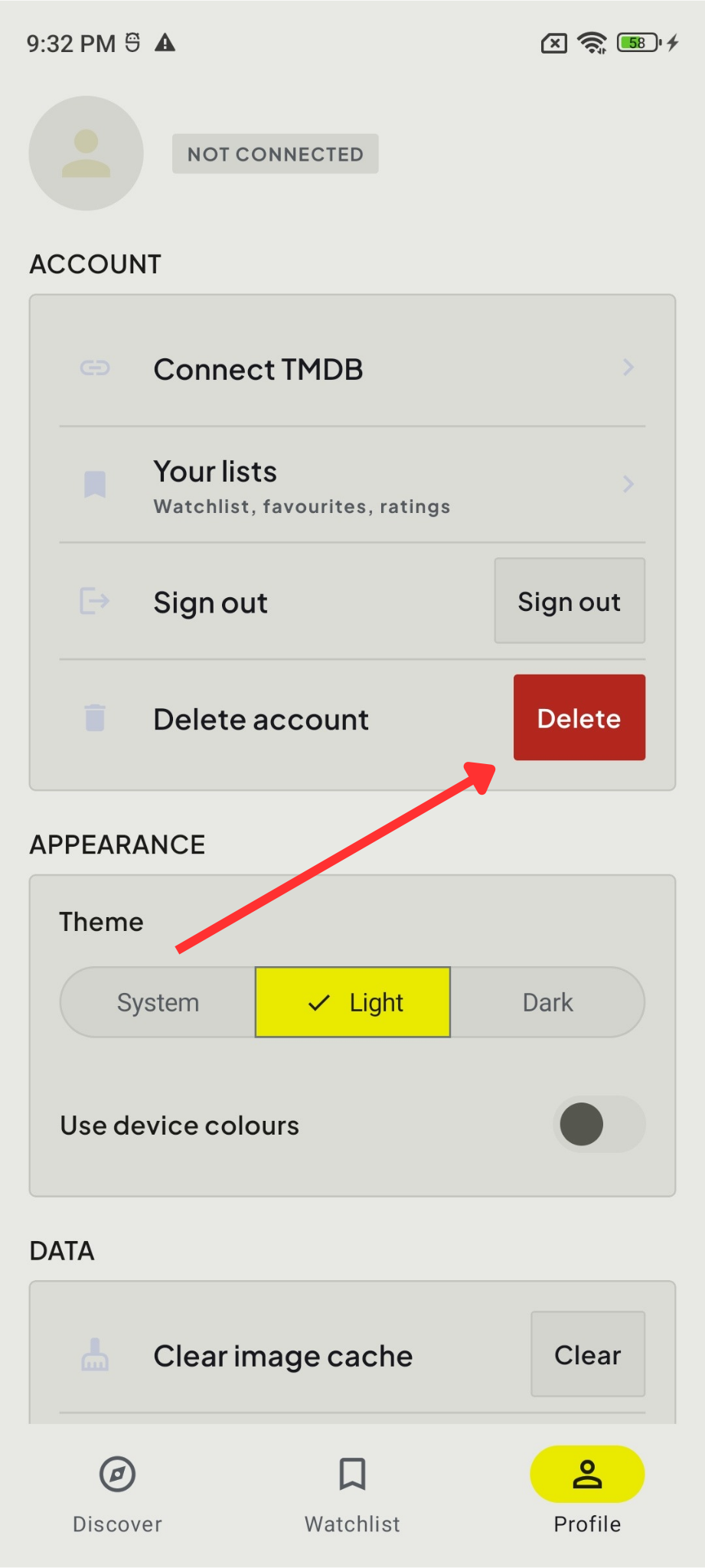
Tap Delete
Under Account, tap Delete next to “Delete account”.
-
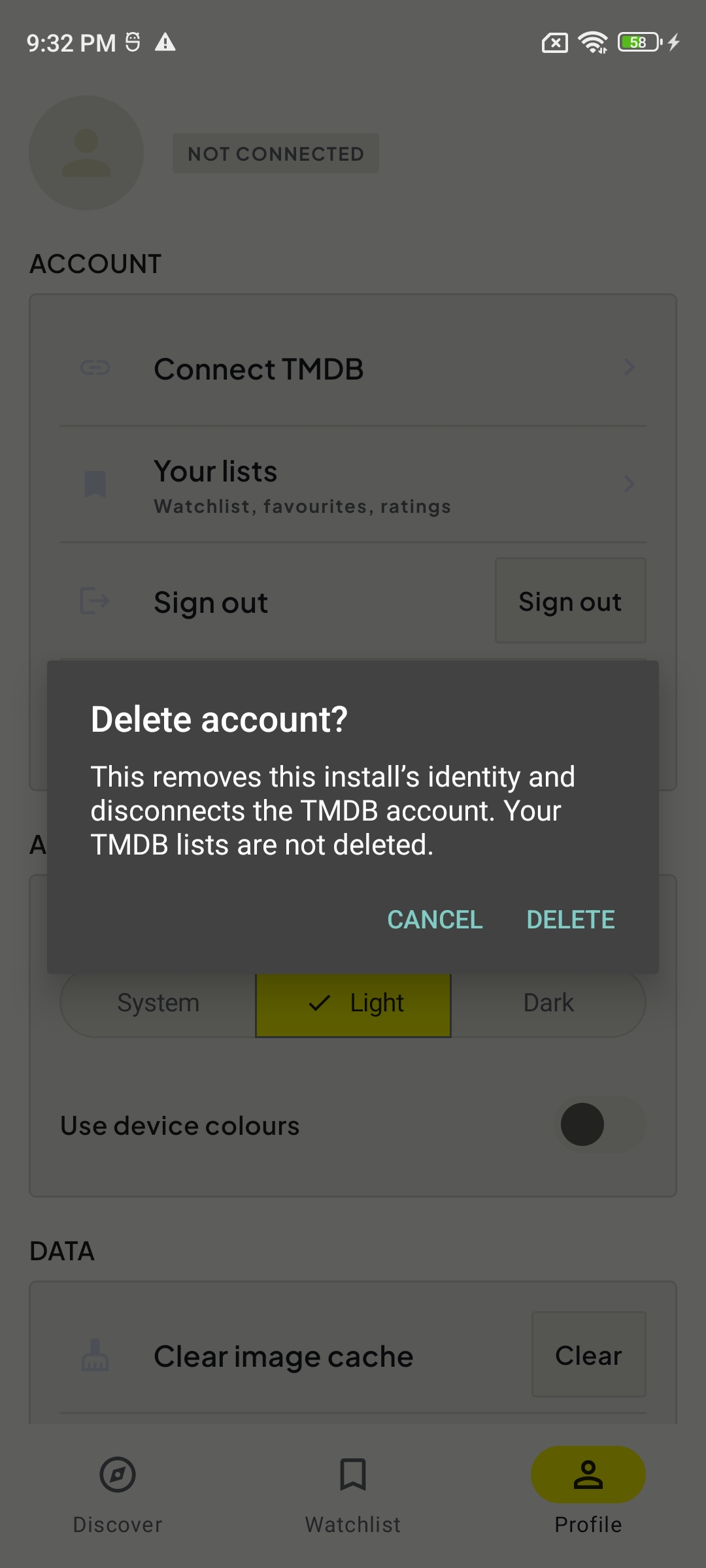
Confirm
Tap Delete in the confirmation dialog. Deletion happens immediately.
What happens when you delete
Deleted
- Your anonymous CineSprout identity
- Your app preferences (theme and language settings)
- Any connected TMDB link and its stored session
Not deleted
- Your TMDB account
- Your watchlist, favourites and ratings on TMDB
- Data held independently by Google Play, Android or your device backup provider
If you cannot access the app
CineSprout identities are anonymous, so we cannot find an account by name, email address or phone number. If you no longer have the app installed, the old identity contains nothing that identifies you and is removed by our routine cleanup. If you believe data is still associated with your installation and want it removed, email admin@refinesparkstudio.com and describe the issue.
Questions
For how we handle information, read the Privacy Policy. For anything else, contact admin@refinesparkstudio.com.